Recently, a new trading platform has caught my eye, FXSI.com. With its focus on four markets—Commodities (oil, grains, no precious metals), Stocks, Indices, and Forex—plus five account tiers, 24/5 support, and a blog with a download center, it’s got a lean setup. But I’m zeroing in on one thing: the tools. For serious traders—those who live by charts and data in this wild year of stock swings and forex chaos—are FXSI’s built-in features enough? I’ve been digging to find out.

What’s on the Table: The Tool Basics
FXSI doesn’t overwhelm you with options, and that’s clear from the jump. Log in, and the toolkit’s front and center—charts, a watchlist, and some extras tucked into the blog and download center. It’s not a sprawling arsenal, but it’s there. Here’s the rundown:
- ✅Charts: Real-time, with candles and lines for forex pairs, stocks, whatever you’re trading.
- ✅Indicators: Basics like moving averages, RSI—nothing too fancy.
- ✅Watchlist: Pin your go-to assets—handy for quick checks.
- ✅Resources: Blog posts and downloadable guides on market moves.
It’s a clean slate, no clutter. But for a serious trader who needs precision in 2025’s mess—oil spiking, indices wobbling—does this cut it?
Charting It Out: Solid or Skimpy?
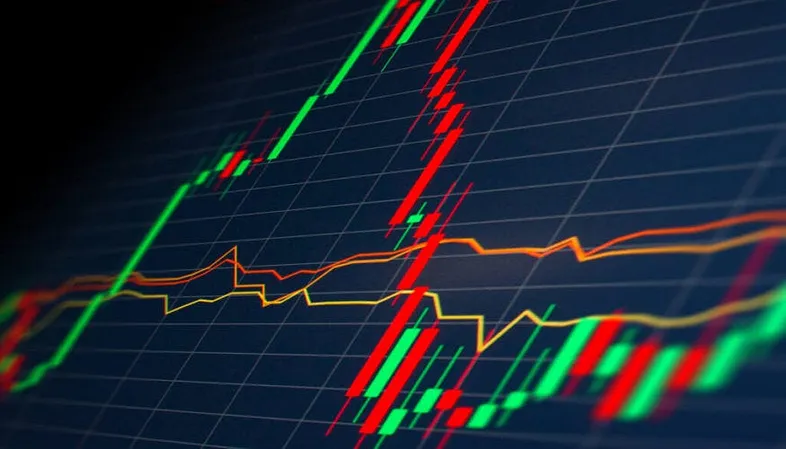
The charts are FXSI’s bread and butter. Pick a forex pair like EUR/USD or a stock like Tesla, and you get a live feed—smooth, no choppy refreshes. You can zoom in, tweak timeframes (1-minute to daily), and overlay a few indicators. I tossed a 50-day moving average on a commodity like crude oil, and it popped up clean—easy to read, no lag.
But here’s where it thins out:
- ✅Limited Indicators: No Bollinger Bands, no MACD—just the essentials.
- ✅No Customization: Can’t save setups or tweak chart colors much.
- ✅Basic Alerts: No built-in pings for price levels—you’re watching manually.
For a casual trader, it’s plenty—clear, functional. For a pro who needs to dissect an index like the S&P 500 with layered tools, it’s skimpy. I’d kill for an alert when GBP/USD hits a support line, but FXSI’s keeping it barebones.
Resources Unpacked: Blog and Beyond
FXSI leans on its blog and download center to beef up the toolkit. The blog’s got bite-sized updates—like why forex’s jumping this week or a recap of a stock dip—and the downloads offer guides:
- ✅Commodities 101: How to trade oil when prices soar.
- ✅Forex Basics: Tips for scalping pairs like USD/JPY.
- ✅Indices Insights: Why the Dow’s trending down.
I skimmed a post on yesterday’s oil surge—spot-on, with numbers I could use. The guides are beginner-friendly but dip into strategy enough to spark ideas. Still, it’s more “learn and apply” than “plug and play”—no real-time signals or automation here. Serious traders might find it useful for context, but it’s not replacing a full analytics suite.
Account Tiers and Tools: Any Boost?
FXSI’s five accounts—Basic, Silver, Gold, Platinum, VIP—promise progression, but do the tools scale? Here’s my take:
- ✅Basic: Charts and resources only—standard stuff.
- ✅Silver: Same deal, maybe faster chart updates (hard to tell).
- ✅Gold: Hints at “enhanced tools”—still just the basics from what I see.
- ✅Platinum: Priority support might speed up fixes, but no tool upgrades.
- ✅VIP: Rumors of “premium features”—maybe tighter spreads, not more tools.
I poked around on a Basic account, then peeked at Platinum via a friend’s login—no big tool jump. The dashboard stays the same; no extra indicators or widgets pop up. If VIP’s hiding a secret weapon, it’s not obvious. For serious traders banking on advanced features as they climb tiers, this feels flat—simplicity’s king across the board.
Support as a Tool: Does 24/5 Help?
The 24/5 support’s a lifeline—Monday to Friday, they’re there. I tested it at 1 AM with a “chart glitch” question—got a human in two minutes, sorted fast. It’s baked into the platform, no pop-out hassle, and they know their stuff. For a trader sweating a forex move at dawn, that’s a tool in itself.
But weekends? Nada. If an index tanks on a Sunday rumor, you’re flying blind. It’s not a dealbreaker—FXSI’s markets are quieter then—but it’s a gap. The support’s user-friendly and quick, just not a substitute for missing analytics.
Note: Learn what traders say about FXSI.
Mobile Check: Tools on the Move
The mobile app’s a mirror—charts, watchlist, blog access, all there. I pulled up a stock like Apple on my phone; the chart loaded fast, though zooming’s a bit fiddly. Trading’s a tap away, and the watchlist syncs from desktop—no hiccups. But the limits carry over:
- ✅No Alerts: Still watching manually.
- ✅Basic Charts: Same indicators, no extras.
- ✅Lightweight: Fast, but not deep.
For a serious trader on the go, it’s functional—check forex, trade oil—but it’s not a powerhouse. It’s built for speed, not complexity.
The Serious Trader Test: Enough or Not?
So, are FXSI’s tools enough for serious traders? It’s a split call. The strengths are real:
- ✅Ease of Use: Charts and resources are simple, quick to grasp.
- ✅Reliability: No crashes, fast trades—handles 2025’s pace.
- ✅Support Boost: 24/5 keeps you unstuck.
But the weaknesses hit hard for pros:
- ✅Tool Depth: No advanced indicators or alerts—barebones analytics.
- ✅Market Scope: Four markets limit your plays.
- ✅Tier Letdown: No tool upgrades as you climb.
In 2025—stocks crashing, forex flipping, oil surging—serious traders need firepower. FXSI’s got a solid base, but it’s light on the heavy artillery. If you thrive on basic charts and quick trades, it’s enough. If you’re dissecting data or chasing crypto (not here), it’s a stretch.
My Verdict: Simple Tools, Serious Limits
FXSI’s built-in tools are user-friendly and reliable—charts work, support’s there, resources help. For a trader who keeps it simple, it’s a strength. But for serious players needing depth—custom alerts, layered analytics—it’s a weakness. I’d say test it on Basic—trade a forex pair, watch a stock. If it fits, great; if you crave more, look elsewhere. It’s a platform that does the basics well—just don’t expect it to flex for the big leagues.
Apart from that, if you are interested to know about “How to Get into Prop Trading” then visit our “Business” category.